

WitSlice API methods for finding, creating, and editing packs and cards. Each method includes request parameters, response fields, and possible errors.
Who this guide is for
This guide is for people building their own applications or automating work with WitSlice packs. It is also written for software agents acting on a user's behalf. The scenarios explain what the API can do, while the exact routes, parameters, and responses help developers and agents implement the integration.
An agent can act on behalf of a user after the account owner approves access in a browser. The user's permissions determine which personal data and packs the agent can access.
What you can do with the API
- Access an account: The account owner can approve a request in a browser and give an application or agent a token without sharing a password. The application can then read the current user's profile and dashboard.
- Find and read packs: Search public packs, list your own packs, read one pack, and retrieve its cards.
- Create and edit a pack: Create a pack with a name and two descriptions, update its available fields, or delete your unpublished pack.
- Manage cards: Add a card to your pack, read its content, edit its title and attributes, or delete an attribute or the entire card.
- Add images: Obtain a temporary upload URL, use the uploaded image in a card attribute, and generate a card preview.
You can perform these actions in your own application or delegate them to an agent. The same API methods and account permissions apply in both cases.
Access labels used below: public means no sign-in is required; user requires authentication; pack owner requires authentication and permission to manage that pack; token-based means access depends on a special token or code. Public access to packs and cards applies to published content; an owner can also read their own drafts.
Prompt for creating an agent skill
If you use ChatGPT, switch from Chat to Work. Create the skill, for example with @skill-creator, and run it in Work: the agent needs network access and temporary storage, such as session storage, to reuse the token.
Copy this prompt:
Create a skill named witslice-packs-api for working with WitSlice packs and cards at a user's request. The source for API rules and permitted routes is https://witslice.com/en/blog/witslice-api. Read the entire article, put the necessary rules into the skill, and keep the article URL as its source. Do not invent methods, fields, or responses absent from the article, and do not add admin routes.
Before calling a protected method, check the agent's temporary storage or current session storage for a token associated with https://api.witslice.com and reuse it in the Authentication header with Bearer followed by the token. Public methods do not require a token. If no token is available or the server rejects it, follow the article's authorization flow: create a session with POST /agent-auth/sessions, give the user authorizationUrl to open and approve in their own browser, then poll GET /agent-auth/sessions/:sessionId with pollToken at the specified interval. After approval, retrieve the token once and save it with the API host in temporary or session storage for reuse during this session. Do not open the approval URL on the user's behalf.
Do not write the token to skill files, permanent files, or chat history. Never show it in responses or include it in URLs or logs. If the session ends and the token is no longer available, request a new one. On HTTP 401, remove the rejected token from temporary storage and authorize again; retry a data-changing request only when you know the previous call did not complete. Do not start authorization or change data while creating the skill itself. If the agent is running without temporary or session storage, ask the user to run the skill in ChatGPT Work and do not call protected methods until then. Finally, show the created skill and briefly explain how to run it in Work.
General rules
- The API base URL is https://api.witslice.com. Append each method's path to this address.
- Send request bodies as JSON unless a method says otherwise. Replace path parameters such as :id and :slug with their values, without the colon.
- After obtaining an access token, call protected methods with the Authentication: Bearer YOUR_TOKEN header. Use the header name Authentication exactly. Public methods do not require it.
- Response shapes vary: some methods return their data directly, while others return ok and data fields. Each method describes its own response. A pack permission error may include ok set to false and a reason field.
- Response timestamps are ISO 8601 date-time strings. Default values, token lifetimes, and limits may vary by environment.
Authorization
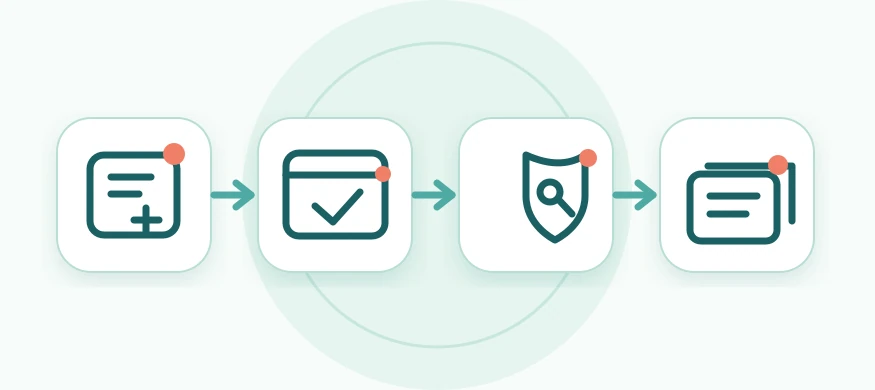
- The API client sends POST /agent-auth/sessions with the application name in agentName. The server returns sessionId, pollToken, and authorizationUrl.
- The account owner opens authorizationUrl in a browser. If they are not signed in, the site takes them to sign-in and then returns them to the access request.
- The site shows the application name. The account owner approves or denies the request.
- While the owner decides, the API client checks GET /agent-auth/sessions/:sessionId with pollToken in the x-agent-session-token header. The session creation response specifies the polling interval. After approval, this request returns the access token once. Denied or expired requests do not yield a token.
Request access
Method and path: POST /agent-auth/sessions
Create an access request and open the returned URL in the account owner's browser. This call does not need an access token.
Request body: agentName is the only field. It is a required, nonempty application name of up to 100 characters. Leading and trailing whitespace is removed, and control characters are forbidden.
Success — HTTP 201. Response fields:
- sessionId: Access request identifier.
- pollToken: Secret token used to check the owner's decision.
- authorizationUrl: URL for the account owner to open in a browser.
- expiresIn: Time allowed for a decision, in seconds.
- pollInterval: Minimum interval between checks, in seconds.
Other outcomes: HTTP 400 — invalid application name or extra fields; 429 — session creation rate limit reached; 503 — token issuance through this method is unavailable. Keep pollToken until the flow ends, and never put it in the browser URL.
Check the decision
Method and path: GET /agent-auth/sessions/:sessionId
Check the status of an access request. The sessionId path parameter identifies the request. The x-agent-session-token header must contain the issued pollToken. There is no request body or query parameter. The Authentication header is not needed here. Follow pollInterval; the server also sends a Retry-After header.
Possible responses — HTTP 200:
- Waiting: status is pending; retryAfter gives the number of seconds before the next check, and expiresAt gives the deadline. Retry after the indicated interval.
- Approved: status is approved; the response contains token, tokenType with the value Bearer, and expiresIn, the token lifetime in seconds. Save the access token and use it in the Authentication header.
- Denied: status is denied. Stop waiting; no token is issued.
- Expired: status is expired. Start a new flow if needed.
- Already retrieved or no longer valid: status is consumed or revoked. The token will not be issued again.
The token is returned only on the first check after approval. Session and token lifetimes depend on server settings. A denied, expired, or completed request returns only status.
Errors: HTTP 400 — invalid sessionId format; 401 — missing or invalid x-agent-session-token; 404 — session not found; 429 — checked sooner than the allowed interval.
User and dashboard
Current user
Method and path: GET /user/me
Returns information about the owner of the supplied token. There are no path parameters, query parameters, or request body. The Authentication header is required.
Success — HTTP 200: The response contains:
- id: User identifier.
- name: Name.
- email: Email address.
- timezone: Time zone; may be null.
- settings: An array of settings, possibly empty. Each item contains id, name, value, type, group, ownerId, createdAt, updatedAt, and deletedAt. group and deletedAt may be null.
Error: HTTP 401 if the token is missing, invalid, or expired.
User dashboard
Method and path: GET /user/me/dashboard
Returns a ready-to-use summary for a personal dashboard. There are no path parameters, query parameters, or request body. The Authentication header is required.
Success — HTTP 200: The response contains periodDays (30 days), summary, and the arrays below. summary contains newLearned, the number of newly learned cards; dueForReview, the number due for review; and reviewsCompleted, the number of completed reviews. These summary values may be null for an account with only the older learning format. Arrays are empty when there is no data.
- recentSessions: id, status, startedAt, completedAt, activityAt, packs (objects with id, slug, name), newCompleted, reviewsCompleted.
- recentQuizResults: attempt id, quizId, quizTitle, packId, packSlug, createdAt, updatedAt, status, result (PASS/FAIL), positive, total.
- sessionPacks: id, slug, name, unitCount, trainingId, learningGroupId, nextSessionAt, nextSessionIsPlanned, needsScheduleSetup.
- scheduledPacks: id, slug, name, nextCardAt.
- recentlyViewedPacks: id, slug, name, lastViewedAt.
Error: HTTP 401 if the token is missing or invalid.
Packs and cards
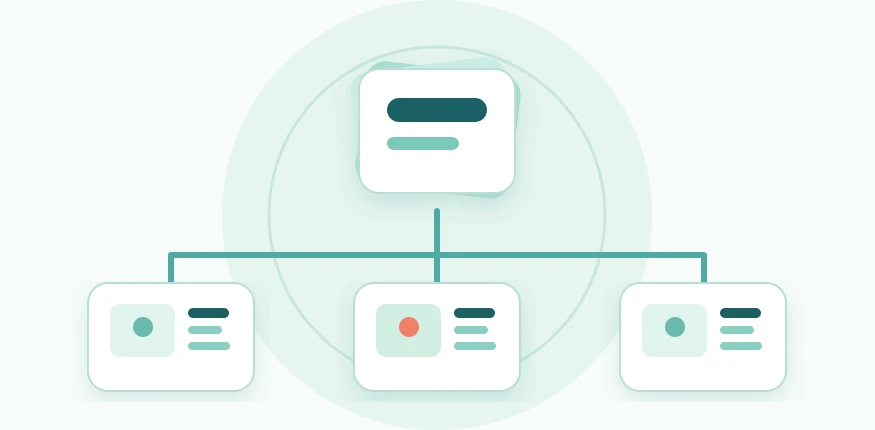
List packs
Method and path: GET /package
Search published packs, or set isMine=1 to list the current user's packs, including drafts. Query parameters:
- isMine: Required string: 0 for public packs, 1 for your own packs. A token is required for 1.
- take: Optional page size from 1 to 100; default 100.
- offset: Optional offset from 0; default 0.
- sortBy: Optional sort field: createdAt, title, or unitCount; default createdAt.
- sortOrder: Optional order asc or desc; default desc.
- category: Optional category identifier or slug.
- targetLang, search: Optional pack language and search by pack name.
- tags: Optional comma-separated list of tags.
- isPromoted: Optional promoted-pack filter; send 1 to apply it.
Success — HTTP 200: The response contains ok set to true and data. Within data, total is the number of matches before pagination, and packs is an array that may be empty. Each pack contains:
- id, slug, name: Pack identifier, URL slug, and name.
- description, shortDescription: Full and short descriptions; shortDescription may be null.
- cover, defaultUnitTemplate, unitCount: Cover (possibly null), default card template, and number of cards.
- ownerId, categoryId: Owner and category identifiers.
- owner: Owner details: id, name, email, timezone.
- category: Category details: id, slug, title, isPromoted, createdAt, updatedAt.
- packageUnits: Cards: id, packageId, title, type, order, contentLoad, estimatedMinutes, previewImage.
- isPublic, isPromoted, targetLang, tags, metaTitle, metaDescription: Publication status and additional information; the last four values may be null.
Other outcomes: HTTP 400 — missing isMine or invalid pagination or sorting values; 401 — own packs requested without a token.
Get a pack
Method and path: GET /package/:slug
slug is the pack's string identifier from its slug field. A public request can read a published pack; an owner can also read their draft using their token. There is no request body.
Success — HTTP 200: A pack object without an ok/data wrapper:
- id, slug, name: Pack identifier, URL slug, and name.
- description, shortDescription: Full and short descriptions; shortDescription may be null.
- cover, defaultUnitTemplate, unitCount: Cover (possibly null), default card template, and card count.
- ownerId, categoryId: Owner and category identifiers.
- isPublic, isPromoted, isQuizAvailable: Publication, promotion, and quiz availability flags.
- targetLang, tags, metaTitle, metaDescription: Additional information; values may be null.
Other outcomes: HTTP 403 — the pack is not accessible to the caller; a missing pack may produce either 403 or 404.
Create a pack
Method and path: POST /package
A user token is required. The new pack belongs to the token owner, gets a unique slug based on its name, and starts as a draft with unitCount: 0. A minimal request needs three text fields:
- name: Required, nonempty name.
- description: Required, nonempty description.
- shortDescription: Required, nonempty short description of up to 200 characters.
- defaultUnitTemplate: Optional, nonempty card template string. Defaults to basic if omitted.
- category: Optional identifier of an existing category. Defaults to the category with the lowest id if omitted.
Success — HTTP 201: The created pack object contains:
- id, slug, name: Pack identifier, URL slug, and name.
- description, shortDescription: Full and short descriptions.
- defaultUnitTemplate, categoryId: Selected card template and category identifier.
- ownerId, owner: Owner identifier and details: id, name, email, timezone.
- category: Category details: id, slug, title, isPromoted, createdAt, updatedAt.
- cover, unitCount: Cover (null) and card count (0).
- isPublic, isPromoted, targetLang, tags, metaTitle, metaDescription: Status and additional information. For a regular user, the flags are false; the other fields may be null.
Other outcomes: HTTP 400 — required fields are missing, values fail validation, or the specified category does not exist; 403 — user is not authorized to create a pack; 503 — no default category is configured.
Edit a pack
Method and path: PUT /package/:id
id is the numeric pack identifier. A token belonging to its owner is required. The JSON body may include any combination of name, description, shortDescription, defaultUnitTemplate, and category. Every field is optional; omitted fields keep their current values.
- name: New, nonempty name.
- description: New, nonempty full description.
- shortDescription: New, nonempty short description of up to 200 characters.
- defaultUnitTemplate: New, nonempty card template string.
- category: Identifier of an existing category.
Success — HTTP 200: The updated pack contains:
- id, slug, name: Pack identifier, original URL slug, and current name. Changing the name does not change the slug.
- description, shortDescription: Current full and short descriptions.
- defaultUnitTemplate, categoryId: Current card template and category identifier.
- ownerId, unitCount, cover: Owner identifier, card count, and cover URL (null if absent).
- isPublic, isPromoted, targetLang, tags, metaTitle, metaDescription: Current status and additional information; some values may be null.
- createdAt, updatedAt, deletedAt: Creation, last update, and deletion times; deletedAt is null for an existing pack.
- category: When the category changes, its id, slug, title, isPromoted, createdAt, and updatedAt are also returned.
Other outcomes: HTTP 403 — insufficient permission for the pack; 404 — pack disappeared during processing; 400 — invalid data or unknown category; 422 — editing an already published pack would leave it without a card suitable for learning.
Delete a pack
Method and path: DELETE /package/:id
id is the numeric pack identifier. An owner token is required. There is no request body. An unpublished pack can be deleted together with its cards and associated data.
Success — HTTP 200: The affected response field gives the number of deleted packs, usually 1.
Other outcomes: HTTP 403 — another user's pack or a published pack; the permission reason for a published pack is publishedPack. HTTP 404 is possible if the pack disappears after the permission check.
List a pack's cards
Method and path: GET /package-unit
There is no request body. Query parameters:
- packageId: Required pack identifier.
- take: Maximum number of cards; default 300.
- isFull: Set to 1 to return all attributes. Otherwise, only description, bgColor, bgImage, and video-cover are returned. Use 1 for a complete card listing.
Success — HTTP 200: An array of cards without an ok/data wrapper, sorted by order and then id. An empty result is []. Each card contains:
- id, packageId, title, type, order: Card and pack identifiers, title, type, and position.
- contentLoad, estimatedMinutes, previewImage: Cognitive load, estimated study time, and preview URL; values may be null.
- createdAt, updatedAt, deletedAt: Card timestamps; deletedAt is null.
- attributes: An array of attributes. Each contains id, packageUnitId, parentId, name, value, type, kind, order, createdAt, updatedAt, deletedAt; parentId, kind, and deletedAt may be null.
- package: Pack details: id, slug, name, description, shortDescription, defaultUnitTemplate, cover, unitCount, ownerId, categoryId, isPublic, isPromoted, targetLang, tags, metaTitle, metaDescription, createdAt, updatedAt, deletedAt.
Without isFull=1, a card with none of the selected attributes may be absent from the list.
Other outcomes: HTTP 403 — no permission to read the pack, including another user's draft; an invalid or missing packageId may also be rejected by the permission check.
Get a card
Method and path: GET /package-unit/:id
id is the numeric card identifier. This method is available for a published pack or to the owner of a draft. There is no request body.
Success — HTTP 200: A card object with all its attributes, without an ok/data wrapper. Response fields:
- id, packageId, title, type, order: Card and pack identifiers, title, type, and position.
- contentLoad, estimatedMinutes, previewImage: Cognitive load, estimated study time, and preview URL; values may be null.
- createdAt, updatedAt, deletedAt: Card timestamps; deletedAt is null.
- attributes: An array of attributes. Each contains id, packageUnitId, parentId, name, value, type, kind, order, createdAt, updatedAt, deletedAt; parentId, kind, and deletedAt may be null.
Other outcomes: HTTP 403 — the caller cannot access the pack; an invalid identifier may also lead to 403 rather than 404 during the permission check.
Create a card
Method and path: POST /package-unit
A token belonging to the pack owner is required. Request body fields:
- packageId: Required positive pack identifier.
- title, type: Required, nonempty strings for the card title and type.
- order: Optional position, an integer of at least 0; default 0.
- contentLoad, estimatedMinutes: Optional integers from 1 to 5 and 1 to 15, respectively; null is also allowed.
- attributes: Required array of attributes. Each item contains key (a nonempty name such as description), value (a string), type (text, audio, code, link, image, or color), and order (an integer of at least 0). The optional kind field refines the attribute type.
The pack's card count increases on success.
Success — HTTP 201: The response contains id, the new card identifier.
Other outcomes: HTTP 400 — invalid card or attribute fields; 401 — no valid token; 403 — caller is not the pack owner; 404 — pack not found. An image attribute referencing an unverified upload or another user's image returns an image-specific error with its corresponding HTTP status.
Edit a card
Method and path: PUT /package-unit/:id
The id path parameter identifies the card; a pack owner token is required. Request body fields:
- title: Required, nonempty card title.
- attributes: Required array of attribute changes. To create an attribute, send key (a nonempty name), value (a string), type (text, audio, code, link, image, or color), order (an integer of at least 0), and optionally kind. To edit an existing attribute, include its id. To delete one, send id and isDeleted set to true.
- order: Optional card position, an integer of at least 0.
- contentLoad, estimatedMinutes: Optional integers from 1 to 5 and 1 to 15, respectively; null is also allowed.
The attributes array describes changes: existing attributes not mentioned in it are preserved. This method does not change the card's type. Saving clears its previous previewImage.
Success — HTTP 200: The response contains slug, the URL slug of the card's pack.
Other outcomes: HTTP 400 — invalid data; 401/403 — missing token or pack owner permission; 404 — card or specified attribute not found; 409 — the card changed concurrently, so read it again before retrying; 422 — the change would leave a published pack without a card suitable for learning. Image attachment errors have separate codes.
Delete an attribute
Method and path: DELETE /package-unit/:id/attribute/:attributeId
Both path parameters are numeric identifiers. The attribute must belong to the specified card, and that card must belong to the user's pack. There is no request body.
Success — HTTP 200: The response contains ok set to true. Deleting description, bgColor, or bgImage also clears the card's saved preview.
Other outcomes: HTTP 401/403 — no access; 404 — card or attribute not found in that card.
Delete a card
Method and path: DELETE /package-unit/:id
id is the numeric card identifier; a pack owner token is required. There is no request body. Deletion reduces the pack's unitCount and clears the saved preview.
Success — HTTP 200: The affected response field gives the number of deleted cards, usually 1.
Other outcomes: HTTP 401/403 — no access; 404 — card not found; 422 — the published pack would be left without any card with contentLoad and estimatedMinutes.
Generate a preview
Method and path: POST /package-unit/:id/preview/generate
id identifies a card owned by the caller. There are no body or query parameters. The server generates a WebP card image, saves it, and sets a new previewImage URL. If the card has a bgImage background, an image from supported storage is used.
Success — HTTP 201: The response contains previewImage, the new preview URL.
Other outcomes: HTTP 401/403 — no access; 404 — card disappeared; 400 — invalid or unsupported background image URL. Calling the method again creates a new preview and replaces the old one.
Get an image upload URL
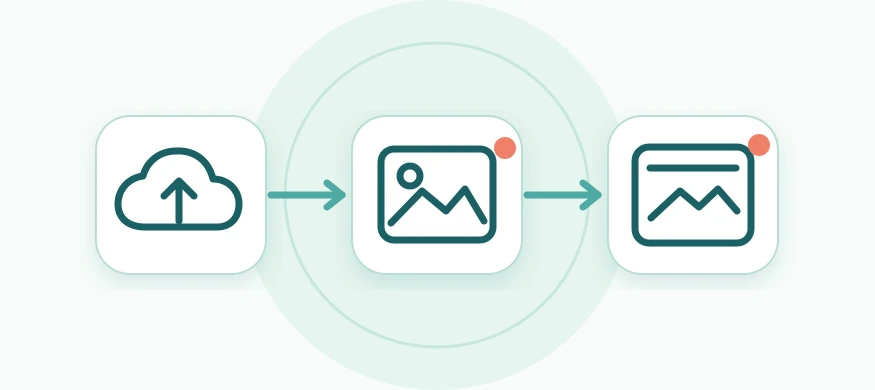
Method and path: POST /uploads/images/presign
This method provides a temporary URL for uploading a file directly to storage. It does not accept the file itself. A pack owner token is required. Request body fields:
- packageId: Required positive pack identifier.
- unitId: Optional positive identifier of a card in that pack.
- fileName: Required, nonempty file name of up to 255 characters, without control characters.
- contentType: Required file type: image/jpeg, image/png, or image/webp.
- size: Required size in bytes, from 1 to 10,485,760; an environment may impose a lower maximum.
Success — HTTP 200: Response fields:
- uploadUrl: Temporary URL to which the file is sent.
- method: File upload method: PUT.
- headers: Upload headers: Content-Type and If-None-Match.
- expiresAt: Time when the URL expires.
- objectKey: Uploaded file identifier.
- publicUrl: Image URL to use in a card attribute.
Send the original file bytes in a separate HTTP PUT request to uploadUrl, using exactly the returned headers. Then send publicUrl as the value of an image attribute when creating or editing a card. The server checks the uploaded file when the card is saved.
Other outcomes: HTTP 400 — invalid request body; 401 — no token; 403 — another user's pack; 404 — pack or unitId not found; 413 — file exceeds the allowed size; 429 — upload rate limit reached; 503 — uploads are disabled or storage is unavailable. Errors from this method contain statusCode, code, and message. A file content error may appear later, when the card is saved after the direct upload.
When a card containing publicUrl is saved, the server checks the uploaded object again. Possible error codes: INVALID_IMAGE_URL (unknown URL), IMAGE_UPLOAD_EXPIRED or IMAGE_UPLOAD_UNAVAILABLE (upload is no longer usable), IMAGE_TOO_LARGE (file size), IMAGE_TYPE_UNSUPPORTED (file type), and IMAGE_CONTENT_INVALID (the file is damaged, differs from its declared size or type, or fails image validation).
The current pack methods do not assign publicUrl to the cover field. This upload flow applies to card attributes.